Start here
Match the symptom, then test one layer.
Stable delay, spikes, lost data and frame-time stutter need different first checks. Use the short diagnosis before opening the full evidence record.
Start with the visible pattern
Different symptoms need different first checks.
Pick the closest pattern. Applying every fix at once destroys the evidence that tells you what changed.
Solo and co-op both lag
Check device performance and the local connection.
Only co-op feels delayed
Record host and session state; repeat on the same platform.
Ping is high but stable
Confirm account server and distance context.
Visual stutter
Separate frame-time or thermal issues from network delay.
The controlled fix order
Move from the easiest layer to verify.
Stop when evidence points clearly to a layer. Keep the normal connection as the route control.
Record account server and platform
Do not change both while testing another variable.
Compare solo and co-op
Use the same device and similar timing.
Separate visual stutter
Watch whether the network indicator changes with the symptom.
Quiet the local connection
Pause uploads and compare clean Wi-Fi or wired play where supported.
Check support, then route
A route test belongs after service, device and local checks.
Use the current game client
Record the signals this game actually exposes.
Settings and labels can change between releases. Record what the current build shows and leave unavailable fields blank.
Account server
Keep the server shown for the account fixed during a comparison; do not assume a route test changes the account region.
In-game latency indicator
Record the displayed latency through solo and co-op sessions instead of using one screenshot as the verdict.
Platform performance
Note frame drops, heat or throttling beside the network indicator so visual stutter is not mislabeled as high ping.
Game-specific scenarios
Keep session context attached to the symptom.
Genshin Impact details can change the diagnosis. Use a comparable second run instead of a generic speed-test verdict.
Solo is smooth; co-op actions feel delayed
Keep the device and account server fixed, then repeat the co-op comparison.
Mobile warms up and begins stuttering
Treat thermal or device performance as a lead when the network indicator is unchanged.
Ping stays high across every session
Confirm account server and physical region before testing the route.
Practical session walkthrough
Separate Genshin network delay from device and co-op behavior
The latency indicator, animation smoothness and delayed actions answer different questions. A mobile device heating up can change play quality without changing the network route.
Keep account server and platform fixed
Record the server attached to the session, platform and time. Do not switch account servers as a casual troubleshooting step: progression and account behavior may differ, so consult current HoYoverse guidance first.
Compare a repeatable solo scene
Use a safe, familiar scene and record the visible latency indicator while repeating the same action. Write down whether the symptom is delayed interaction, unstable movement or a frame hitch. Avoid drawing conclusions from a loading screen alone.
Change one device or connection condition
On mobile, compare after the device has cooled with similar scene and settings, or separately compare a stable Wi-Fi connection. Keep these as separate experiments. If using mobile data, account for its data charges and potentially different route.
Check co-op separately
Record host context and whether the problem occurs in solo, co-op or both. Retain three comparable observations before and after one change. A different co-op session is additional context, not a controlled route benchmark.
Open the web-edge study (not a game benchmark)
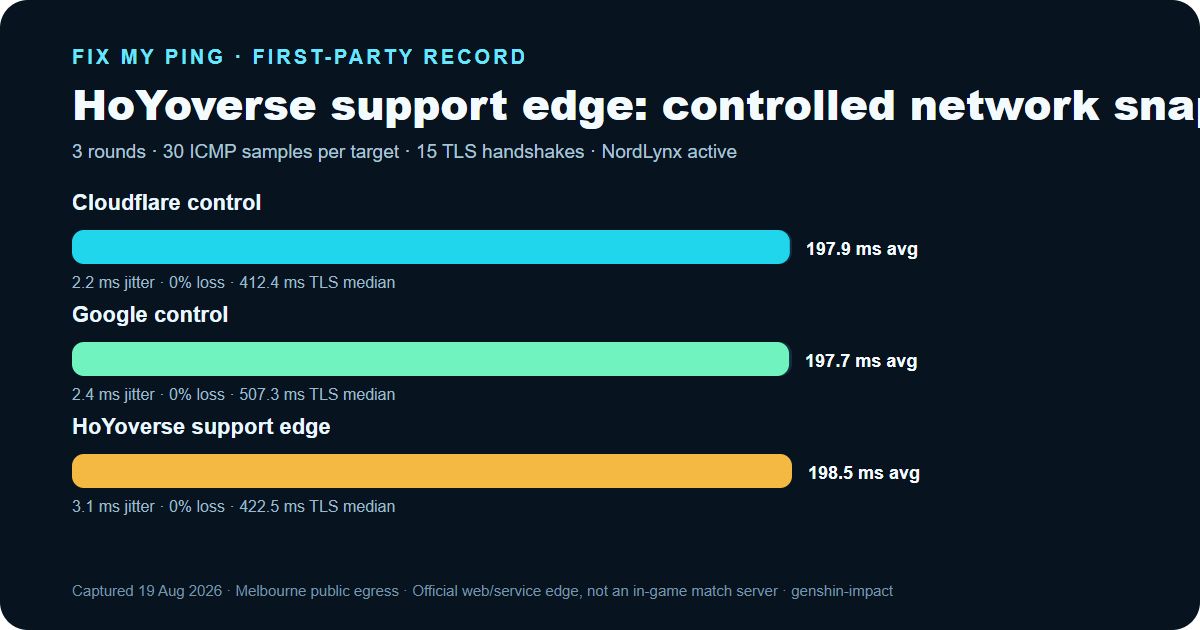
First-party network record
Three rounds from one disclosed device and route.
This is a real, retained network snapshot—not a simulated result and not an in-game benchmark.
- Date
- 2026-08-19 (Asia/Shanghai (UTC+08:00))
- Device
- Windows 11 desktop, Intel Core i9-12900K
- Physical access
- 1 Gbps Ethernet
- Active route
- NordLynx tunnel over Ethernet
- Observed exit
- Melbourne, Victoria, Australia · GSL Networks Pty LTD (AS137409) · Cloudflare MEL
- Official target
- HoYoverse support edge · support.hoyoverse.com
| Target | ICMP average | ICMP median | Jitter | Loss | TLS median |
|---|---|---|---|---|---|
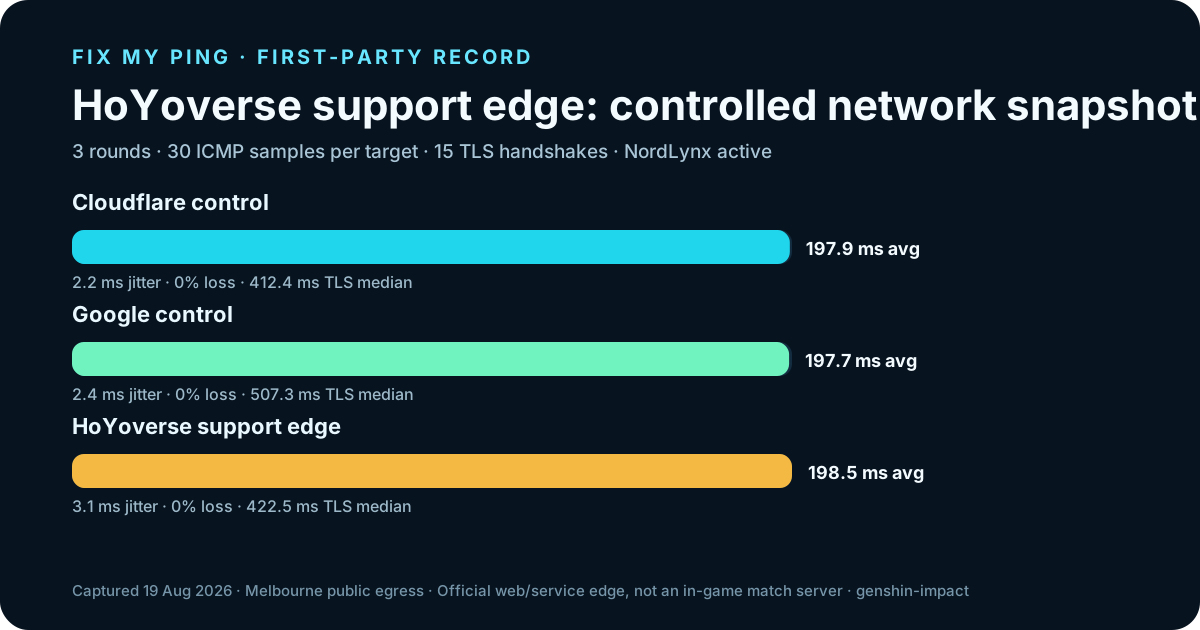
| Cloudflare control1.1.1.1 | 197.9 ms | 197.5 ms | 2.2 ms | 0% | 412.4 ms |
| Google control8.8.8.8 | 197.7 ms | 197 ms | 2.4 ms | 0% | 507.3 ms |
| HoYoverse support edgesupport.hoyoverse.com | 198.5 ms | 198.5 ms | 3.1 ms | 0% | 422.5 ms |
What a route cannot fix
Do not buy a network answer for a non-network problem.
An alternate route is useful only as a controlled comparison after local, device and service checks.
- ×Mobile thermal throttling or low FPS
- ×A problem limited to one co-op session
- ×Account or service maintenance
- ×Local Wi-Fi and household congestion
Continue with context
Use the next tool that matches the evidence.
The diagnosis runs locally in your browser. The evidence kit preserves the session context and raw readings.
Use the symptom pattern to choose the next check.
Open guide →Keep a six-run recordUse the blank template for account server, platform, solo or co-op state and latency evidence.
Open guide →Compare MMO latency layersUse the WoW checklist for a second example of service scope versus device performance.
Open guide →Build a controlled comparisonKeep account server, platform and session state fixed.
Open guide →Official sources and limits
Check current game guidance before blaming your ISP.
HoYoverse support is the current source for account, platform and service guidance. The account server, in-game latency indicator and device behavior are evidence from the player session, not a remote test by this site.
FAQ
Common Genshin connection questions
Why does Genshin lag more in co-op?
Co-op is a useful comparison variable, but one session does not prove the cause.
Can I change my Genshin server to lower ping?
Treat the account server as fixed context unless official guidance says otherwise.
Is Genshin stutter always a network problem?
No. Device performance, frame time and thermal behavior can feel like lag.